2021 introduced the software company Black Salt Audio along with their plugins Low Control and Escalator. Black Salt aimed to create plugins that would produce a better sound in a more simplified manner. As per the title, we will be focusing on Low Control in this article. In this Black Salt Audio Low Control review, you will learn what this plugin has to offer, how to use it, it's pricing, and does it actually deliver on its promises. Continue reading to learn whether you should add the Low Control by Black Salt Audio to your plugin arsenal.
TABLE OF CONTENTS
Black Salt Audio Low Control Features
The Low Control audio plugin does exactly what its name states. It controls the low end of any sound or mix you apply it to. It provides two different ways to handle or enhance the low end with several controls over each option. These options are broken down into separate sections within the plugin interface. These sections are called Control and Enhance. In this Black Salt Audio Low Control review, we will first dive into the control section parameters.
Control Section
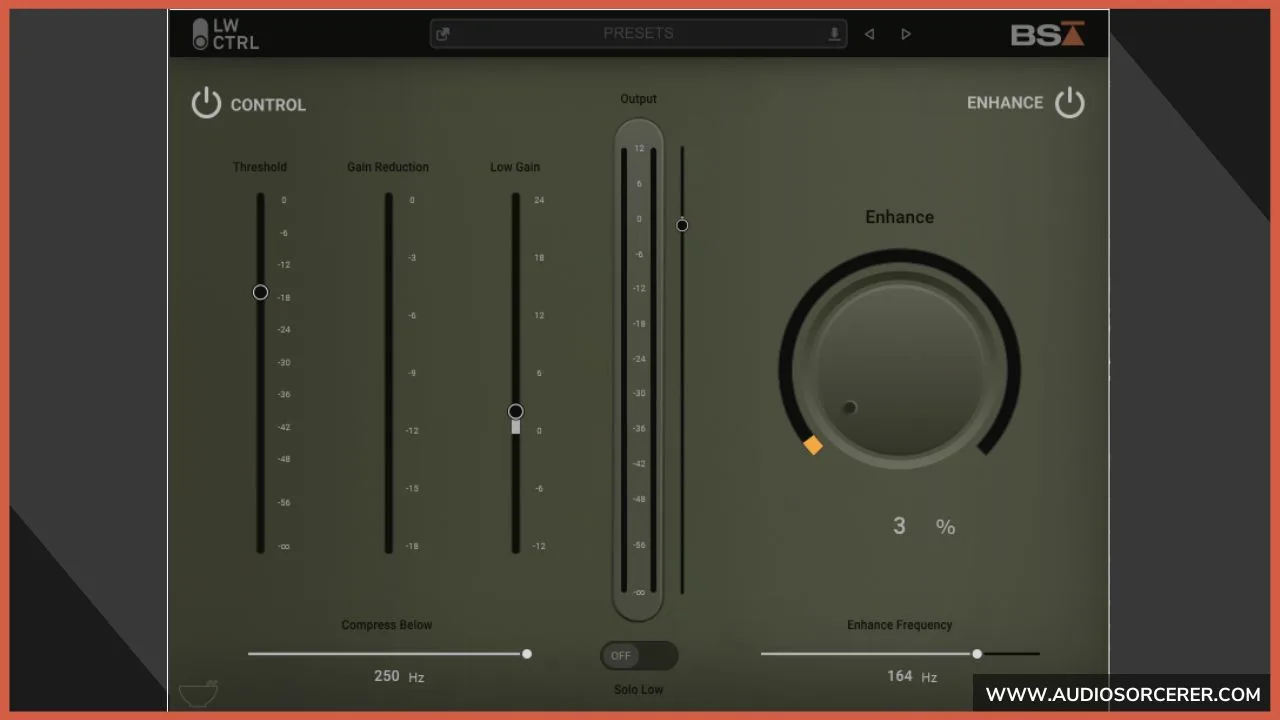
The control section allows you to tame low end with 4 different control parameters. These parameters work in conjunction with each other to create a cohesive low end. The parameters consist of crossover, threshold, gain reduction meter, and low gain. Lets talk about these 4 parameters and what they do.
Crossover: Any frequency below the selection will be compressed. (60Hz - 250Hz)
Threshold: The level at which compression will begin.
Gain Reduction: Shows you when and how much the signal is being compressed.
Low Gain: Level control that turns up/down level of the frequencies below the crossover.
Enhance Section
The enhance section allows you to add low end rumble or harmonics to a sound. Using the harmonics can help low end translate better on listening environments that don't replicate bass well. You can use enhance subtly to give your overall mix something extra or as a tool to fix a problem. The enhance section has two parameters within.
Enhance Frequency: The frequency in which the plugin will create harmonics from.
Enhance: Level control to turn up/down the harmonics.
How To Use Black Salt Audio Low Control
In this Black Salt Audio Low Control review we must talk about how to use the plugin. In my experience, Low Control works best on kick, bass, and an overall mix. You have to look at this plugin for either shaping an individual sound or for fixing an overall problem. Lets talk about how I recommend using Low Control per situation.
For kick, find a crossover frequency between 60hz and 100hz that works best for your song. Bring down the threshold fader until you are getting 1 to 2 decibels of gain reduction on the meter. For as much gain reduction you are getting add that much to the low gain level. For example, if you are getting 2dB of gain reduction then turn up the low gain by 2dB. This will ensure proper gain staging.
In the enhance section, find the second or third harmonic of the key of your song and chose that as the enhance frequency. Next, dial in the enhance level to taste. Adding this to the kick will make it translate better on laptops, earbuds, and other devices that don't replica bass well.

For bass, I recommend you follow the same steps as the kick. The only difference would be the crossover frequency. You need to decide whether you want the bass on top of the kick or below the kick. In most scenarios I tend to like it on top of the kick. With that being said, I would choose a crossover frequency between 100Hz and 140Hz.
For a full mix I recommend only using the control section. If you are using this on a whole mix it should be treated as a tool to fix a problem. Sometimes I receive mixes for mastering that have a low end with too large of a dynamic range. Using the control section of this plugin allows me to strategically compress it. This helps achieve a more polished sound and ultimate a louder master in the end.
Black Salt Audio Low Control Price
No Black Salt Audio Low Control review is complete without talking about price. How much would you pay for a product that says it can fix all your low end problems? The low end of a song can distinguish whether it sounds like it was professionally mixed or not. Well, the going rate for this plugin is $99. Truthfully, there aren't many plugins out there that focus on the low end like Black Salt Audio's Low Control. Best of all, you only need one of these types of plugins in your arsenal so it's a one-and-done deal!
Frequently Asked Questions (FAQs)
What is the Black Salt Audio Low Control plugin and what does it do?
Black Salt Audio Low Control is a dedicated low-frequency management plugin designed to give mixing and mastering engineers precise, musical control over the bottom end of a mix. Rather than functioning as a conventional equalizer or multiband compressor, Low Control combines several low-frequency processing tools into a single, purpose-built interface — including high-pass filtering, low-end shaping, sub harmonic control, and stereo width management in the low frequencies. The plugin is designed to address the most common low-end problems that engineers encounter in modern production — issues like excessive sub buildup, muddy low-midrange frequencies, uncontrolled stereo bass content, and the difficulty of achieving a tight, punchy bottom end that translates consistently across playback systems ranging from large studio monitors to earbuds and laptop speakers. Its workflow-focused design makes it particularly useful on mix bus and mastering chains where broad, musical low-end decisions need to be made quickly and confidently.
How is the Black Salt Audio Low Control different from using a regular EQ for low-end management?
While a conventional equalizer can technically perform many of the same frequency adjustments that Low Control offers, the two tools approach low-end management from fundamentally different perspectives. A standard EQ requires the engineer to identify problem frequencies by ear, select the appropriate filter type, and dial in cuts and boosts across multiple bands — a process that demands experience, careful listening, and often a fair amount of trial and error. Low Control is purpose-built for the bottom end, meaning every control and parameter is specifically designed around the way low frequencies behave in a mix and the specific problems engineers most commonly need to solve there. The plugin's integrated approach — combining filtering, shaping, and stereo control in a single interface with controls optimized for low-frequency decision-making — allows for faster, more intuitive workflow than assembling the same functionality from multiple separate EQ bands. For engineers who spend significant time wrestling with low-end on every mix, having a dedicated tool designed specifically for that task can meaningfully improve both the speed and quality of the results.
Can the Black Salt Audio Low Control plugin be used for mastering as well as mixing?
Yes, Low Control is well suited to both mixing and mastering contexts, and its design reflects the kind of broad, musical low-end decisions that mastering engineers regularly need to make. In a mixing context, it excels on the mix bus, drum bus, and bass bus — anywhere that low-frequency control across a group of elements is more useful than surgical single-track EQ work. In mastering, its ability to manage sub content, enforce mono compatibility in the low end, and shape the overall low-frequency balance of a finished mix makes it a practical tool for addressing the bottom-end issues that commonly appear when a mix is heard on a full-range mastering system for the first time. The stereo width control in the low frequencies is particularly valuable in mastering, where ensuring that bass content is appropriately centered is a standard part of preparing a mix for streaming and physical formats. As with any processing in a mastering chain, restraint and careful monitoring on multiple playback systems are essential to getting the best results from the plugin in that context.
What are the most useful controls in the Black Salt Audio Low Control plugin for fixing a muddy mix?
Mud in a mix most commonly lives in the low-midrange frequency range — roughly between 150Hz and 400Hz — where excessive buildup from multiple instruments accumulates and robs the mix of clarity, punch, and definition. Low Control addresses this through its high-pass filtering and low-end shaping controls, which allow the engineer to roll off unnecessary low-frequency content below the fundamental range of each element and reduce the buildup that causes muddiness without simply cutting broad swaths of low end indiscriminately. The sub control is useful for separating the deep sub frequencies from the upper bass range, allowing the engineer to manage the relationship between the two regions independently rather than making broad low-shelf adjustments that affect both simultaneously. For mixes where the mud is partly a result of wide, diffuse bass content spread across the stereo field, the stereo width control brings that energy back toward the center where it belongs, which often clears up perceived muddiness as much as any frequency-based adjustment. Used together, these controls give the engineer a focused, purpose-built toolkit for the specific problem of low-end clarity rather than requiring them to approximate the same results with general-purpose EQ tools.
Is the Black Salt Audio Low Control plugin worth buying for home studio producers and engineers?
For home studio producers and engineers who regularly struggle with low-end translation — mixes that sound great on studio monitors but fall apart on earbuds, car speakers, or laptop speakers — Low Control addresses one of the most common and genuinely difficult problems in home studio production. Untreated or poorly treated rooms make accurate low-frequency monitoring extremely difficult, which means home studio engineers are often making low-end decisions without a reliable picture of what is actually happening below 200Hz. A purpose-built low-end management tool like Low Control can serve as a practical compensating measure — providing a structured, workflow-efficient way to apply the kind of low-frequency discipline that experienced engineers develop through years of monitoring on calibrated systems in treated rooms. Whether it is worth the investment depends on the individual's current toolset and workflow, but for producers who find themselves spending disproportionate amounts of mix time fighting low-end problems and still not achieving consistent translation, a dedicated tool designed specifically for that challenge is likely to deliver a meaningful improvement in both results and efficiency.
Final Thoughts
Does the Black Salt Audio Low Control plugin deliver on it's promises? The simple answer is yes. In my line of work I have found myself reaching for it in the mastering process to process the low end. I'm only able to mastering what I'm given so I need to be able to correct problems in the mix. I do on occasion use it on kick and bass for something extra but a majority of the time just for mastering.
Throughout this Black Salt Audio Low Control review we have talked about several topics. We have discussed what the plugin does, how to use it, it's pricing, and my thoughts on it. I hope this review has helped you decided whether or not you want to add this plugin to your collection. If you are interested in it, feel free to use my coupon code and link below to get 10% of your order. Good luck and Godspeed with controlling your low end!
GET Black Salt Audio Low Control
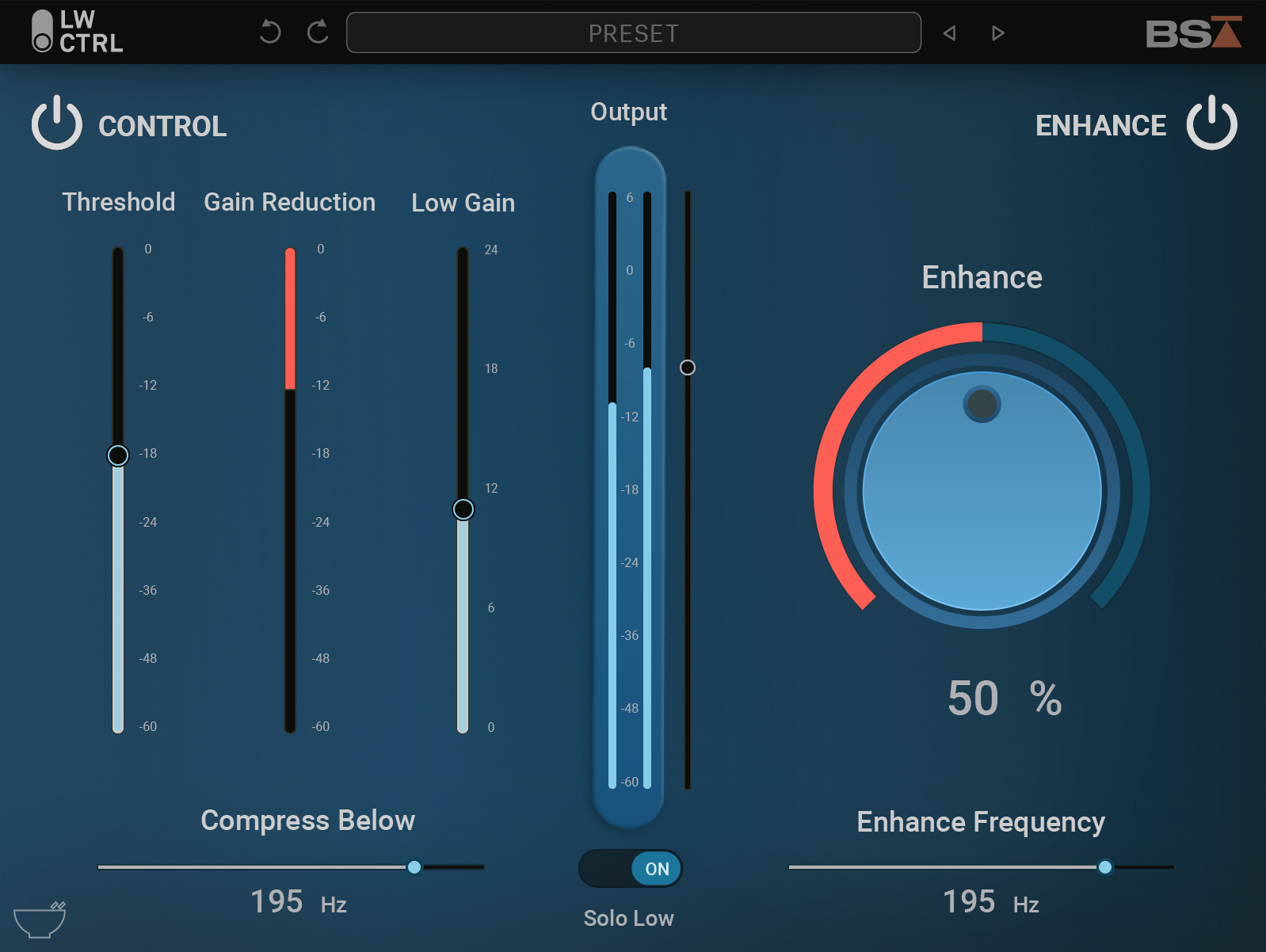
Superior Low End Control
Black Salt Audio Low Control
"Some of the links within this article are affiliate links. These links are from various companies such as Amazon. This means if you click on any of these links and purchase the item or service, I will receive an affiliate commission. This is at no cost to you and the money gets invested back into Audio Sorcerer LLC."