A click track is an audible metronome that keeps players locked to a steady tempo, usually generated by your DAW's built-in metronome and fed to your headphones. That's the whole idea. Everything else is just details about when and how to use it.
It's not only a bedroom-studio thing anymore either. Pro touring acts run clicks through in-ears, and remote collaborators track to the same tempo from different cities. You'll also hear people say you should never record without one. That's a strong default, but it overstates things a little. Let's get into it.
TABLE OF CONTENTS
What a click track actually is
A click track is an audible metronome that helps musicians stay in sync with a multitrack recording. In almost every modern session, it's not a separate audio file — it's the metronome built right into your DAW, whether that's Pro Tools, Ableton, Logic, or GarageBand. You set the tempo and time signature, and the DAW ticks along in your headphones.
You'll sometimes see the old description of a click as an audio or aux track. That's outdated for most work. The one time you'd actually render the click to audio is when you need it to travel — a count-in for a remote collaborator, or playback from a piece of hardware that isn't running your session. Otherwise, let the DAW handle it.
Why bother recording to a click
The obvious reason is timing. Playing to a click gets you tighter takes and keeps the whole song from drifting. But that's not the strongest case.
The strongest case is overdubbing. When you record parts separately and stack them later, they only line up if everyone played to the same reference. Drums today, bass tomorrow, a guitar layer next week — the click is what makes those pieces fit together instead of fighting each other.
It also unlocks remote and distributed recording. Players in different rooms, cities, or time zones can each track to the exact same tempo, and everything syncs when you bring it into one session. No click, no easy way to make that work.
Tempo maps: when a fixed click gets in the way
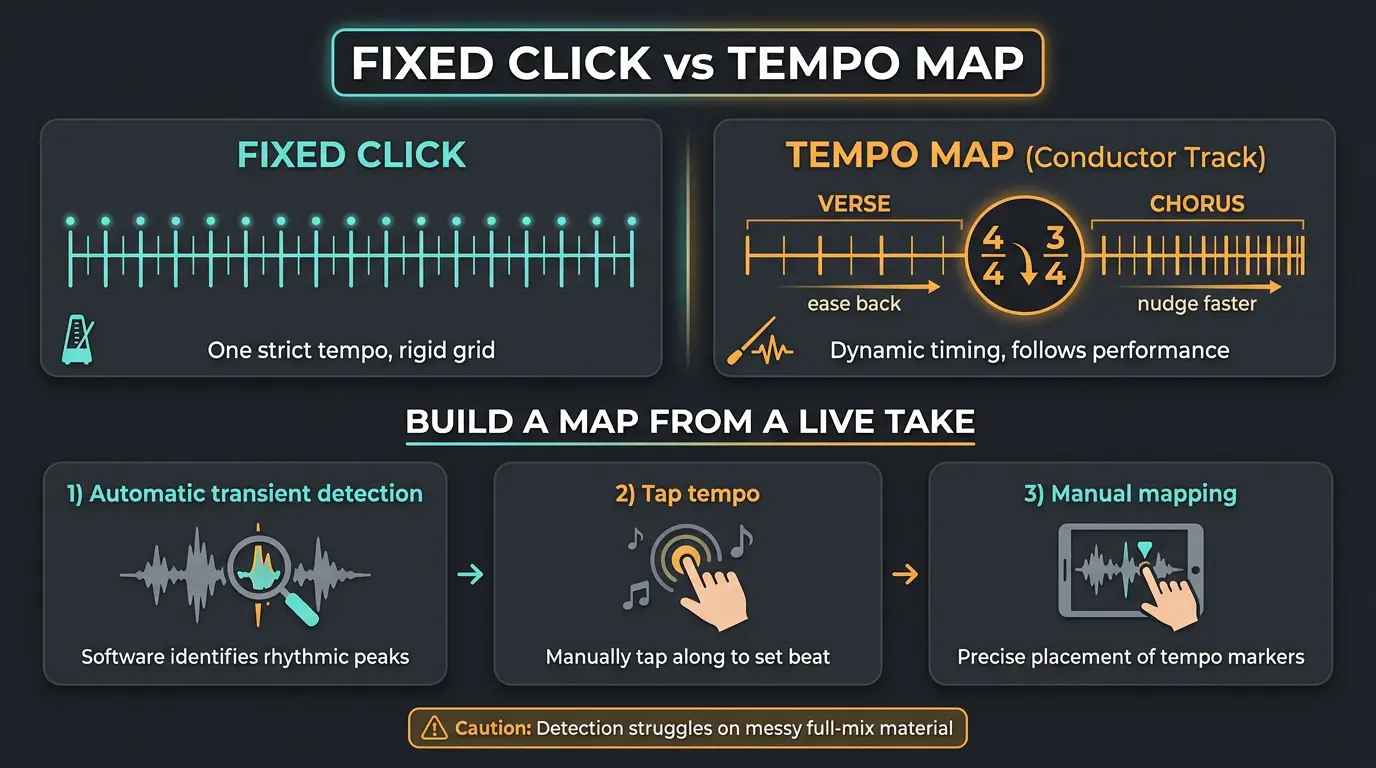
Most tunes hold one strict tempo, and a plain click is perfect for that. But not every song wants to sit on a rigid grid. A performance can lose some of its character when it's nailed to a metronome that never budges.
That's where a tempo map comes in. Almost every DAW lets you build one — sometimes called a conductor track — and it handles tempo changes and even time-signature changes across the song. You can nudge the chorus a hair faster, ease the verse back, and add that natural push and pull a fixed click flattens out.
There's also the reverse workflow: record live and add the grid after. Lay the band down freely, forget the sequencer, then build a tempo map from that recording. You've got a few ways to do it:
- Automatic transient detection — the DAW reads the hits and builds the map for you.
- Tap tempo — you tap along to the recording to set the pace.
- Manual mapping — you place the tempo markers by hand where the DAW gets it wrong.
Honest caveat: detection works best on well-defined individual parts with clear rhythm. Point it at messy full-mix program material and you'll get errors. For a deeper walkthrough, the SOS guide to playing to a click is worth a read.
Where AI tempo detection fits in
Modern DAWs and standalone tools can analyze transients and estimate a song's BPM almost instantly. Drop in a clip, get a tempo back in a second or two. For workflow speed and lining up imported elements, that's genuinely handy.
With that being said, it's not magic. Syncopation, swung rhythms, and odd time signatures can throw the beat grid off, and the offset can get ugly when you start aligning MIDI or vocal layers to a wrong guess. Live recordings almost always need a manual check.
So think of AI detection as an accelerator for the tempo-mapping workflow, not a replacement for playing to a click. It gets you 90 percent of the way fast, and you clean up the rest with your ears.
How to actually record to a click
A basic click plays the quarter-note pulse of your time signature, and that works for most situations. But it's not always the right call. At slow tempos, switch the click to eighth notes so you've got something to hold onto between the big beats. At fast tempos, a half-note click cuts the clutter of too many pulses flying by.
Set a count-in before you hit record so you're not scrambling into bar one. For overdubs, learn your DAW's punch-in workflow so you can drop in and out cleanly on a specific section.
Now, the classic beginner mistake: lagging behind the click. It happens when you wait to hear the click before you play, so you're always a hair late. The fix is to internalize the pulse until the click seems to disappear into your notes when you're dead on. A couple of drills help:
- The mute game — play with the click for a few bars, mute it for two, then unmute and see how close you landed.
- Subdivide slow tempos — at 50 BPM, count 8ths or 16ths in your head to keep the grid steady.
Make sure you give it real time before you decide the click "isn't for you." Playing with a click is a skill, and it comes faster than you'd think.
Headphone tips for a clean take
- Track with headphones and your monitors muted so the click doesn't bleed into the mic.
- Closed-back headphones reduce leakage — with open-backs, the click can spill straight into the take.
- Watch your volume with IEMs and earbuds for hearing safety, and match your isolation to the bleed-vs-comfort tradeoff you need.
Click tracks on stage
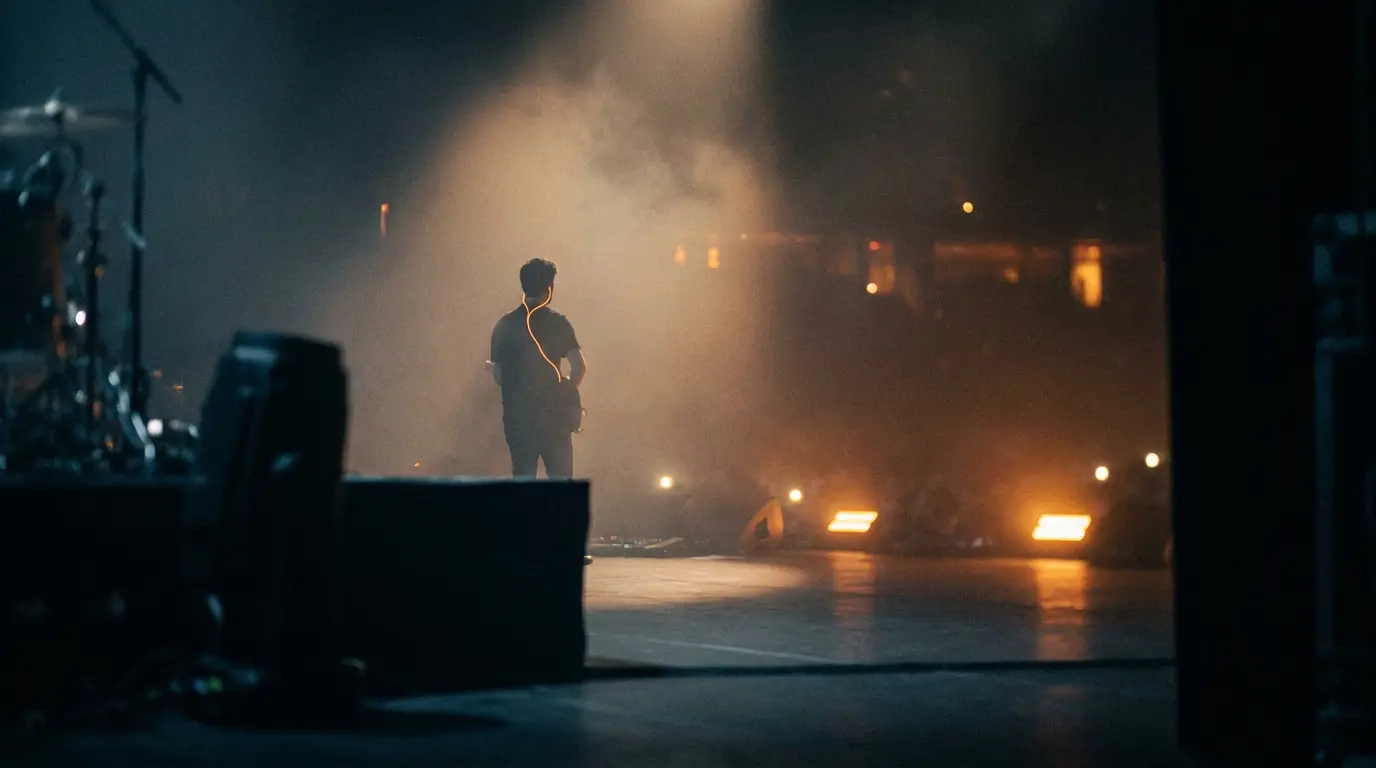
Click tracks are standard gear in pro live shows now. The click gets programmed to each song's tempo in something like Ableton, Logic, or Pro Tools, then sent to each musician's in-ear monitors. Everyone stays locked in, even standing on opposite ends of a big stage.
Live, the click usually rides alongside backing tracks, and the two work together for cueing — timing a guitar solo, bringing in backing vocals, hitting a tricky transition. The click can even carry vocal cues or markers to flag a key change coming up. Quick terminology note while we're here: those backing elements are multitracks or submixes. "Stems" specifically means submixes, and mixing the two up causes real confusion when files change hands.
Who gets the click varies. Sometimes the whole band hears it; sometimes just the drummer, but that only works if the drummer starts every tune. Once you're syncing to a track or a video, everyone needs it.
It's worth being clear-eyed about the risk, though. Laptops crash, interfaces fail, cables come loose, and in-ear systems misbehave. The band also gets locked into a fixed arrangement — if something goes sideways, the track keeps rolling whether the players are ready or not. Redundancy and rehearsal are the price of admission.
Is a click track always the right call?
You'll hear people say you should never record without a click. I get the sentiment, but I don't think it holds as a universal law. It's a strong default, not gospel.
Some performances live and breathe on human timing — a ballad, a rubato piano take, a band that pushes and pulls together on purpose. In those cases, a tempo map or a free-time recording serves the music better than a rigid grid ever could. Trust your ears. There isn't always a right or wrong way here.
Frequently Asked Questions (FAQs)
Is a click track the same as a metronome?
Basically, yes — a click track is a metronome you record along to. The difference is context: a metronome is the general tool, while a click track is that pulse running inside your DAW or in-ears, synced to a specific session or setlist so parts line up later.
Do I need a click track for every song?
No, though it's a smart default for most recording, especially anything with overdubs or remote players. Songs built on loose, expressive human timing can sound better without one. In those cases, a tempo map or a free-time recording often serves the music more honestly.
How do I stop lagging behind the click?
Stop waiting to hear the click before you play, and internalize the pulse so the click disappears into your notes when you're on time. Practice the mute game — play with it, mute two bars, unmute and check your drift. At slow tempos, subdivide the beat in your head.
What's a tempo map and when should I use one?
A tempo map is a set of tempo and time-signature changes you build into your session so the click follows the song instead of forcing one rigid speed. Use it when a track needs natural push and pull, has tempo shifts, or when you've recorded live and want to add the grid after.
Can I use AI to detect a song's tempo?
Yes — most modern DAWs and standalone tools analyze transients and estimate BPM almost instantly, which is great for imported clips. Just verify the result on live, swung, or odd-meter material, where the beat grid can get misread. Treat it as a fast starting point, not a final answer.
Final Thoughts
A click track isn't a rule you have to obey — it's a tool that solves real problems. It tightens takes, makes overdubs and remote sessions actually line up, and holds a live band together through in-ears. Add a tempo map when the song needs room to breathe, and let AI detection speed up the grunt work.
Learn to play with a click instead of behind it, keep it out of your mic with closed-back headphones, and use it where it helps. Where it doesn't help the music, leave it off. Your ears get the final say.
Some of the links within this article are affiliate links. These links are from various companies such as Amazon. This means if you click on any of these links and purchase the item or service, I will receive an affiliate commission. This is at no cost to you and the money gets invested back into Audio Sorcerer LLC.